Writing on the box
A few words at most. Can’t be searched. Wrong the moment the contents change.
Pre-printed QR labels + a free app
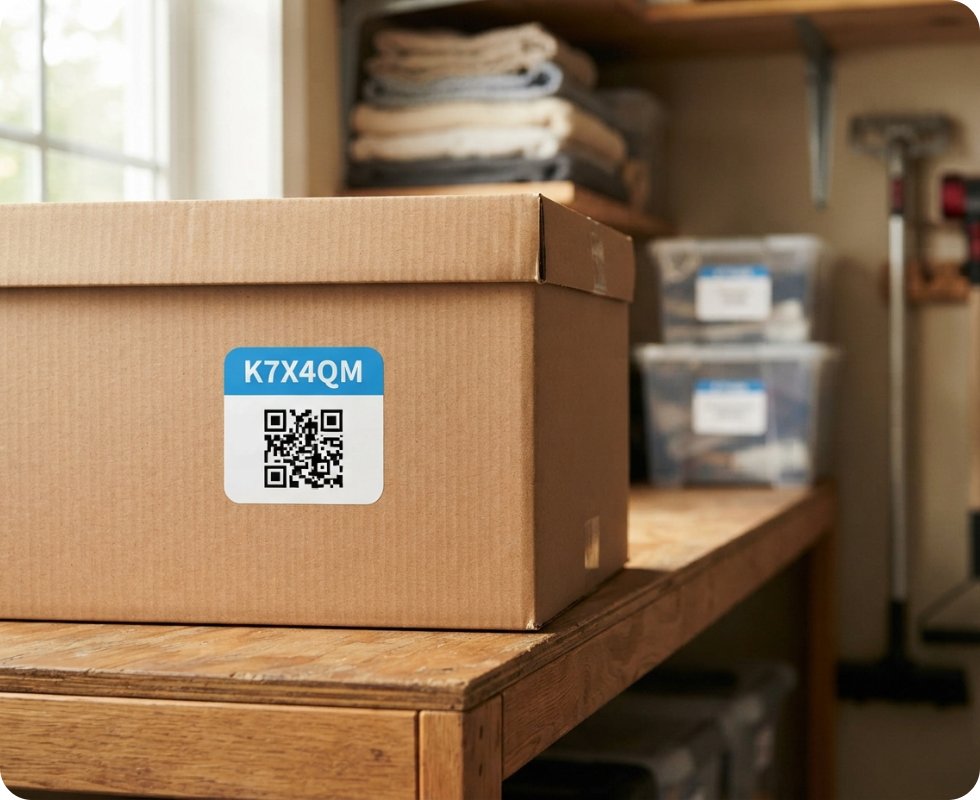
Stick a label on each box and scan it. Next time you need something, search for it—the app tells you which box it’s in and where that box is.
Made for the stuff
you don’t see every day
Moving day
Garages & attics
Storage units
Seasonal things
Stockrooms
Office archives
Event gear
So boxes get opened, dug through and restacked—or the thing gets bought again. The usual fixes don’t hold up.
A few words at most. Can’t be searched. Wrong the moment the contents change.
Tedious to keep up while packing, and nothing links the list to the actual box.
Print your own labels, build a catalog first. More work than a garage deserves.
How it works
Photos, names and quantities are all optional. Snap a picture and move on—add detail later, or never.
Peel one off the sheet, stick it on, and scan it with your phone. The box now exists in your inventory.
Snap a photo of what’s inside or type a quick note. Pick where the box lives—garage, basement, unit B12.
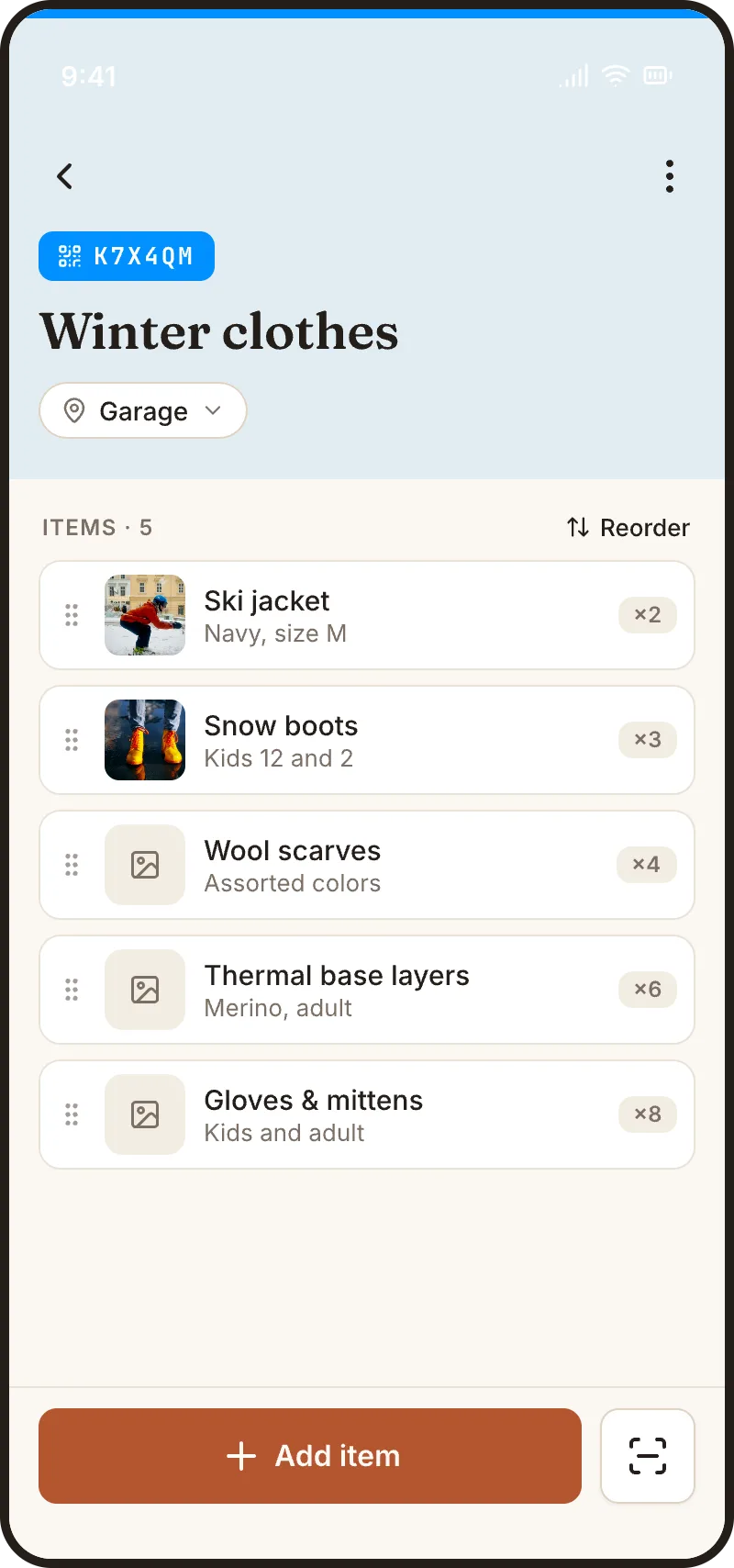
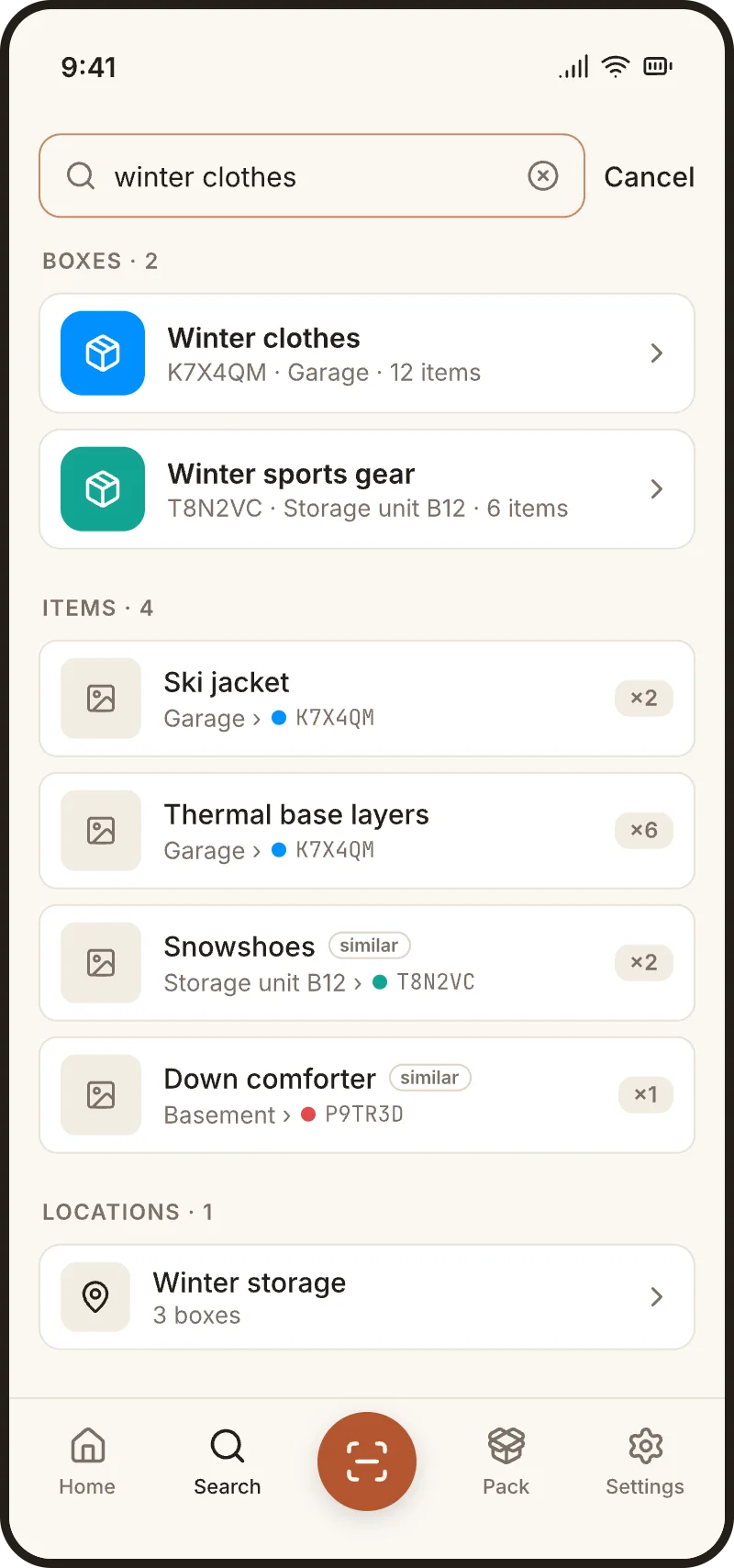
Type what you’re looking for and get the item, its box and its location. Or scan a label to see everything inside.
Search that gets you
You don’t have to remember how you labeled something. Search understands what you mean, so the loose notes you actually write are enough.
Items · 4
What you’re buying
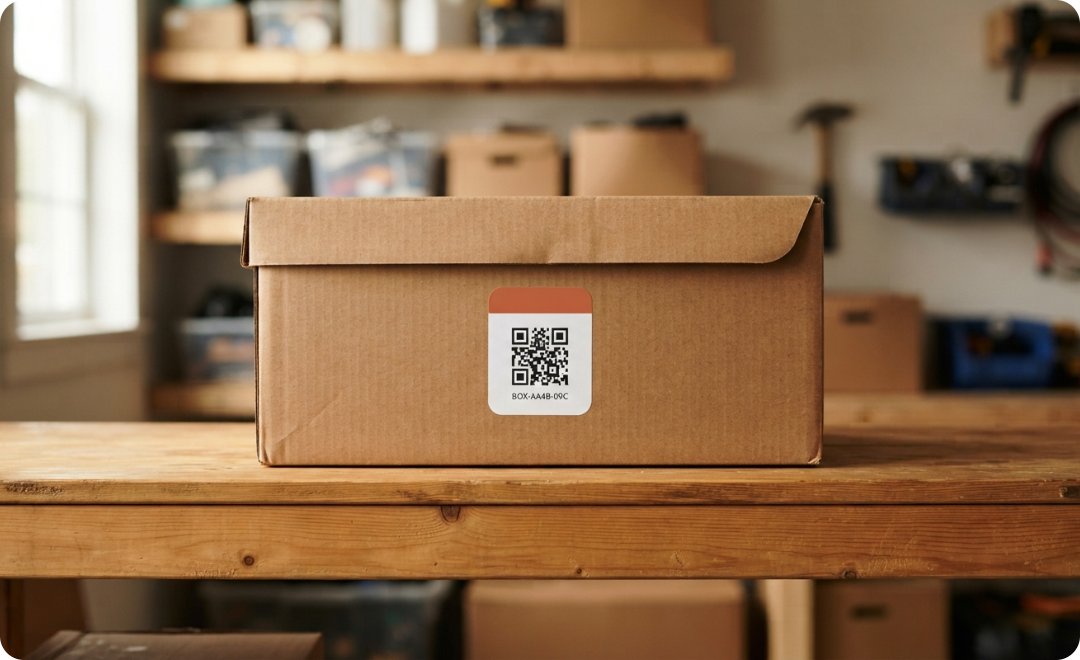
Sheets of pre-printed QR labels. Competitors make you print your own—here you open the pack and start scanning.
Spot the right box across the room.
Easy to say out loud to a mover or coworker.
Scan it to see everything inside.
Built for moving day
Packing is when your inventory gets built. So the app is built for packing—on your phone, one hand, mid-stack.
The camera and add-item form stay on screen, so you can log a whole box in one quick loop.
Pick a location, then scan box after box as they’re stacked—exactly what happens when the truck gets unloaded.
Move a box to a new spot, or an item to a different box, with a scan. Your inventory keeps up with real life.
The label + the app
Share your inventory with your household. Search for an item, see the box it’s in, and find where that box lives—even if someone else packed it.
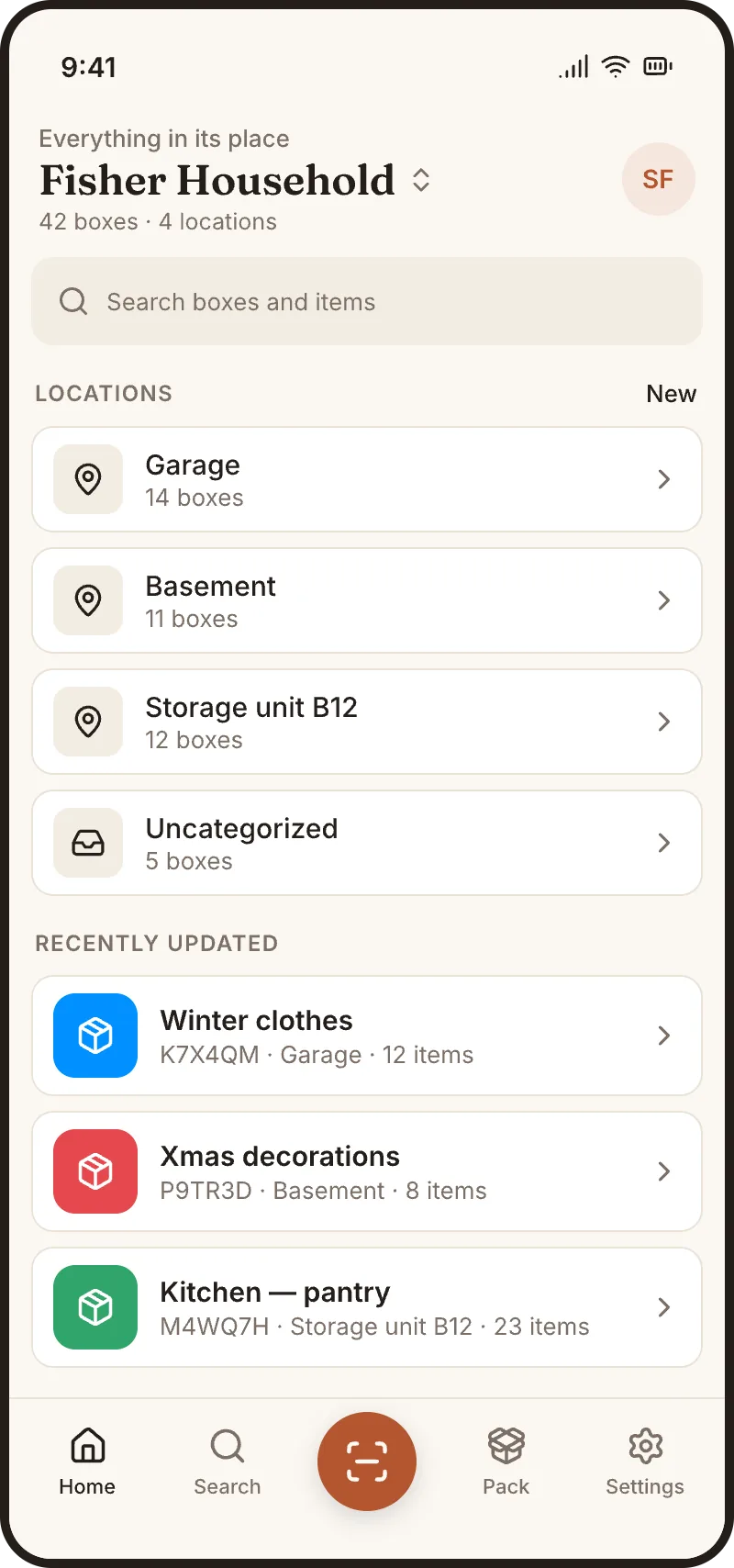
01 / Your home
Every box. Every location. One place.
02 / Find an item
Search your things, not your shelves.
03 / Look inside
See what’s packed before opening a box.
Keep a personal workspace and a work one. No separate business tier.
Photos are stripped of location data and only visible to workspace members.
For households
For small teams
Why not just…
|
QR Box
Scan QR Box Scan |
Marker Marker on the box |
Sheet or
notes Spreadsheet or notes |
Print-your-
own Print-your-own apps |
|
|---|---|---|---|---|
| Searchable | Yes | No | Yes | Yes |
| Tied to the physical box | Yes | Yes | No | Yes |
| Nothing to design or print | Yes | Yes | Yes | No |
| Easy to keep up to date | Yes | No | Tedious | Yes |
| Works with loose, rough notes | Yes | Barely | No | Rarely |
Before you buy
No. You buy pre-printed labels, ready to peel, stick and scan.
You save the contents first—a photo or a quick note as you pack. Then scan or search to find them later.
Yes. Invite your household to a shared workspace so everyone can find things, including boxes they didn’t pack.
Yes. Teams share one workspace, and you can belong to a personal workspace and a work one at the same time.
Only members of your workspace. Location data is stripped from photos before they’re stored.
You choose where each box is stored and update it with a scan when you move it. It isn’t a GPS tracker.
No. You buy pre-printed labels, ready to peel, stick and scan.
You save the contents first—a photo or a quick note as you pack. Then scan or search to find them later.
Yes. Invite your household to a shared workspace so everyone can find things, including boxes they didn’t pack.
Yes. Teams share one workspace, and you can belong to a personal workspace and a work one at the same time.
Only members of your workspace. Location data is stripped from photos before they’re stored.
You choose where each box is stored and update it with a scan when you move it. It isn’t a GPS tracker.
Start with a sheet of labels. Every new box gets one, and every box becomes searchable.
Shop QR labels on Amazon[Price per sheet] · [Labels per sheet] labels
BOX-K7X4-QM
BOX-K7X4-QM